![Valcre Logo White.png]](https://valcre-21117743.hs-sites.com/hs-fs/hubfs/Valcre%20Logo%20White.png?height=50&name=Valcre%20Logo%20White.png)
Updating Table of Contents
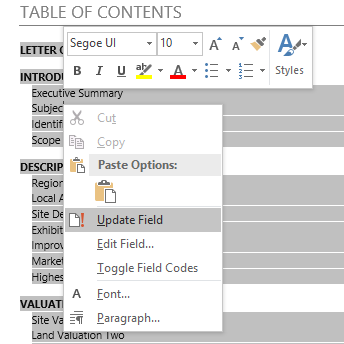
1.Right click somewhere in the Table of Contents and select 'Update Field'
OR
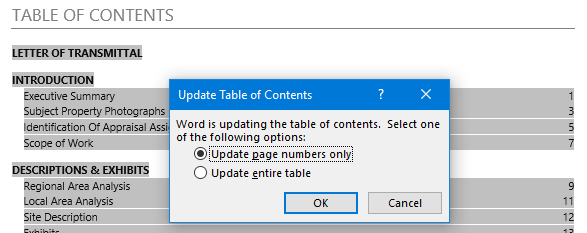
Click somewhere on the Table of Contents and push F9 on your keyboard to get the Update Table of Contents pop up
2. Make sure Update page numbers only is selected and click OK