Solution
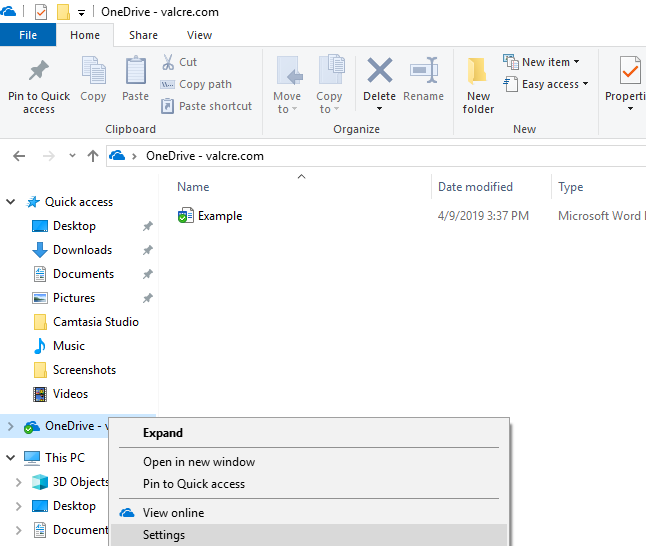
1. Open the Windows File Explorer and right-click on the OneDrive tab, then click on Settings.
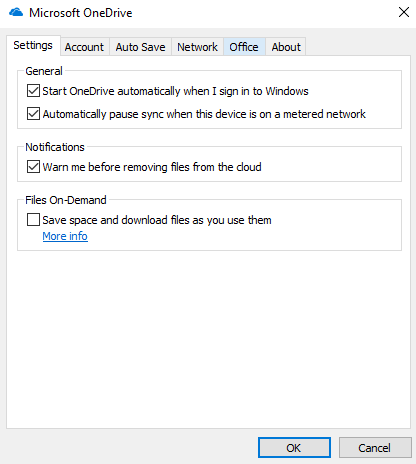
2. Navigate to the Office tab and ensure that 'Save space and download files as you use them' is unchecked. Then, click OK.
![Valcre Logo White.png]](https://valcre-21117743.hs-sites.com/hs-fs/hubfs/Valcre%20Logo%20White.png?height=50&name=Valcre%20Logo%20White.png)
1. Open the Windows File Explorer and right-click on the OneDrive tab, then click on Settings.
2. Navigate to the Office tab and ensure that 'Save space and download files as you use them' is unchecked. Then, click OK.